My Alerts
Agents can view their Exception Alerts (request change) and Bid/Schedule Alerts. The Exception Alerts are grouped under Regular, Mid-day Minus, and Mid-Day Plus headings. The Bid/Schedule alerts are grouped under Bid Offer, Schedules Changes, Non Call Changed, and Shift Swap headings. The status of each alert is displayed (Pending, Accepted, Declined), along with a link with the date of the request.
What do you want to do?
Tasks in this Topic Include:
Related Tasks:
View Exception Alerts
To view your exception alerts:
- Select Home.
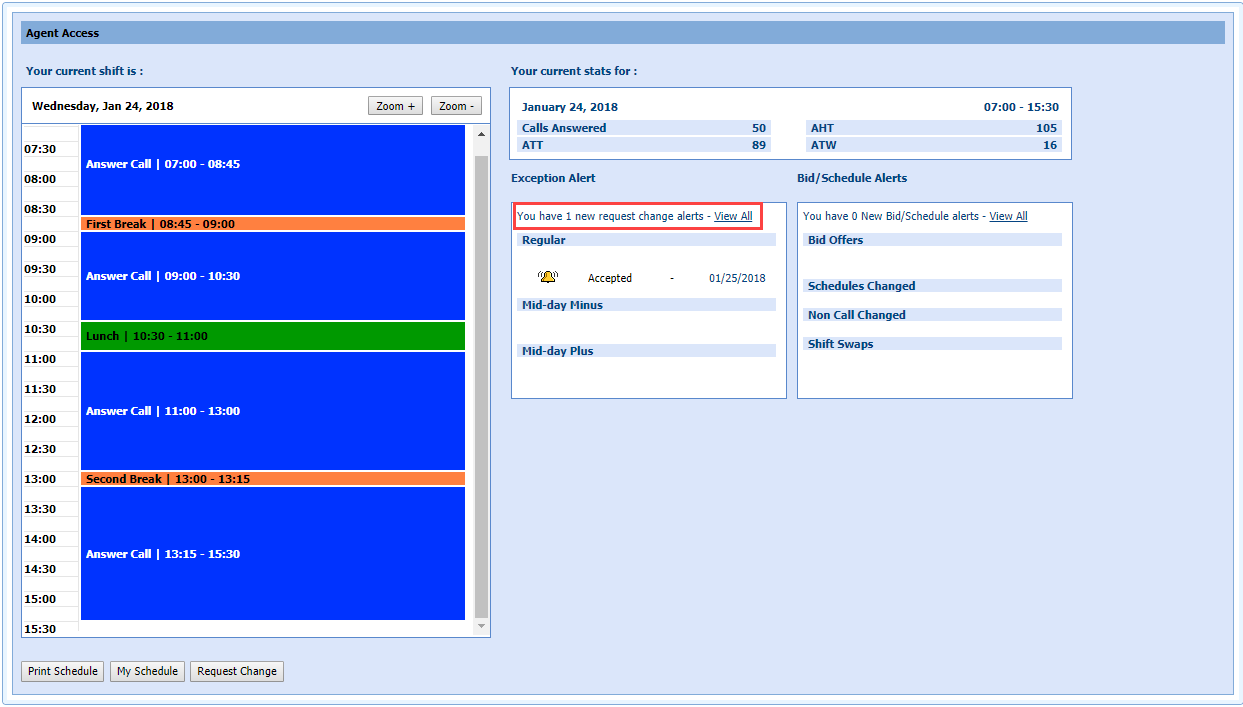
- Select
an Exception Alert link. The Agent Access window displays.
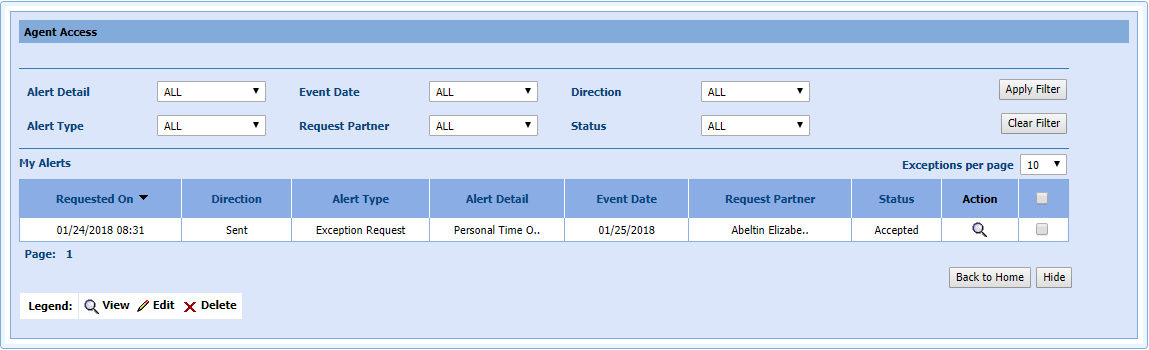
- Select the magnifying glass icon to open the View Request Details screen.
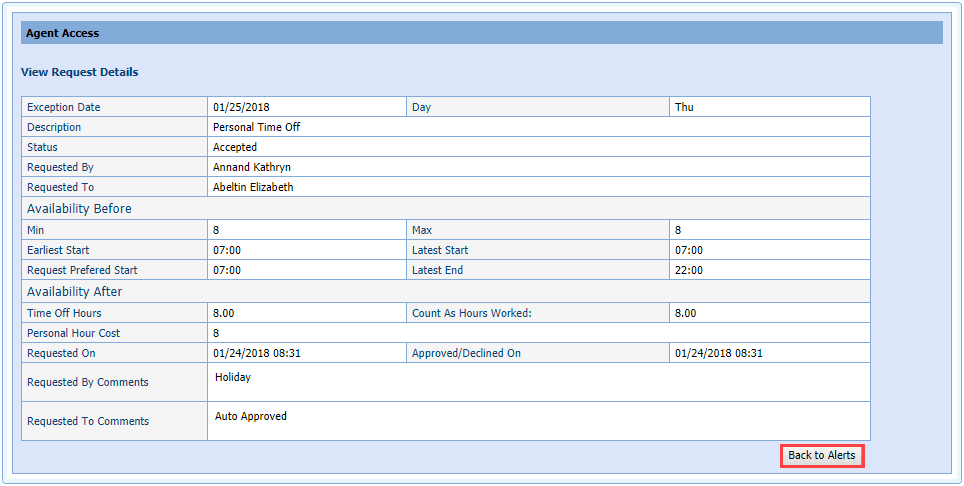
- Select Back to Alerts to return to the previous window. Click Back to Home to return to the home screen.
Reminder Alerts
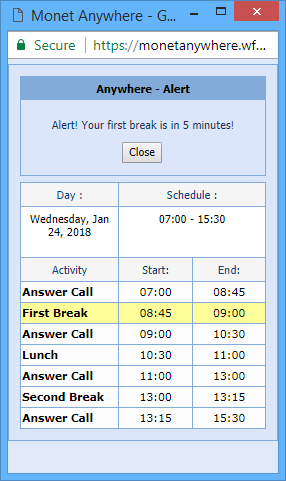
Reminder alerts are configured by the administrator and can help agents by reminding them when it's time to switch statuses such as going on break, lunch, or handing inbound calls. Alerts are automatically displayed. Agents view the alert and close them.